Still & moving
Bring your own images and videos. Mural's WallpaperAgent keeps video playback running on the Desktop and Lock Screen after the app closes — across displays and Spaces.
Mural is a small, native home for your wallpapers on the Mac. Still art. Moving scenes. A little studio to sketch your own. No accounts, no storefront, no web wrapper.
One job: keep the wallpapers you love and put them on your screen.
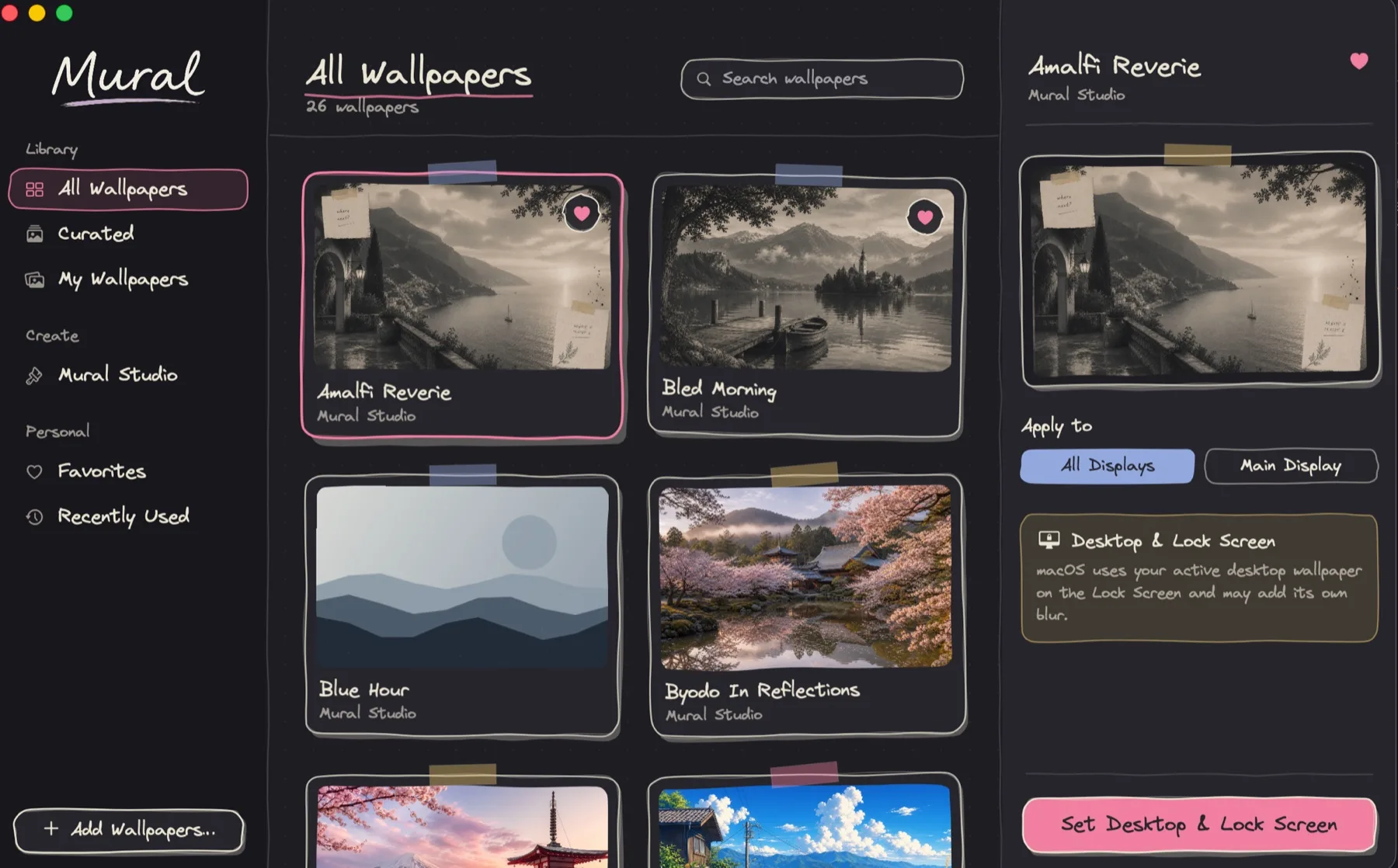

The gallery
Eighteen stills spanning woodblock prints, anime skylines, neon nights, and quiet mornings — plus five procedural wallpapers rendered locally the moment you choose them.
…and nine more waiting in the box.
Mural Studio
A small wallpaper workshop built into the sidebar. Start from a drawn backdrop or a photo of your own, then tune it until it feels right.
Scrapbook stickers
Taped paper notes, washi tape, a polaroid frame, a vintage postage stamp, and hand-drawn doodles. Drag them anywhere — resize, rotate, layer — until your desktop looks like a page from your favourite notebook.
Made to feel like a little gallery
Just a small library that gives your desktop the attention it deserves.
Bring your own images and videos. Mural's WallpaperAgent keeps video playback running on the Desktop and Lock Screen after the app closes — across displays and Spaces.
Keep favourites close and revisit recently used wallpapers, so the good ones never get lost in a folder somewhere.
Apply a wallpaper to all displays or only your main one — the same choice the app gives you in a single click.
Built with SwiftUI for macOS 14 and later. Open source, free forever, and everything renders on your machine.
Get Mural
Grab the app, or build it from source in a couple of minutes. Either way — free, native, and no strings attached.
Download for macOSRequires macOS 14 or later. Animated video wallpapers need macOS 26.
Good to know
That’s Gatekeeper being cautious about apps downloaded outside the App Store. Right-click Mural.app and choose Open, or go to System Settings → Privacy & Security and click Open Anyway. You only have to do this once — and since Mural is open source, you can always build it from source instead.
Really free, no catch. Mural is open source, has no accounts, no storefront, and no telemetry to sell — everything renders locally on your Mac.
Any Mac on macOS 14 (Sonoma) or later. Animated video wallpapers need macOS 26; stills and the Studio work everywhere.
The video-wallpaper integration leans on private Apple frameworks, so a macOS update can occasionally knock it over. Check the latest release — fixes usually land there first. Still wallpapers are never affected.
Mural is free forever — that part never changes. If it makes your desktop happier, you can chip in: donations go toward the Apple developer fee (so downloads stop scaring people) and the community server on the roadmap.
Sponsor on GitHub